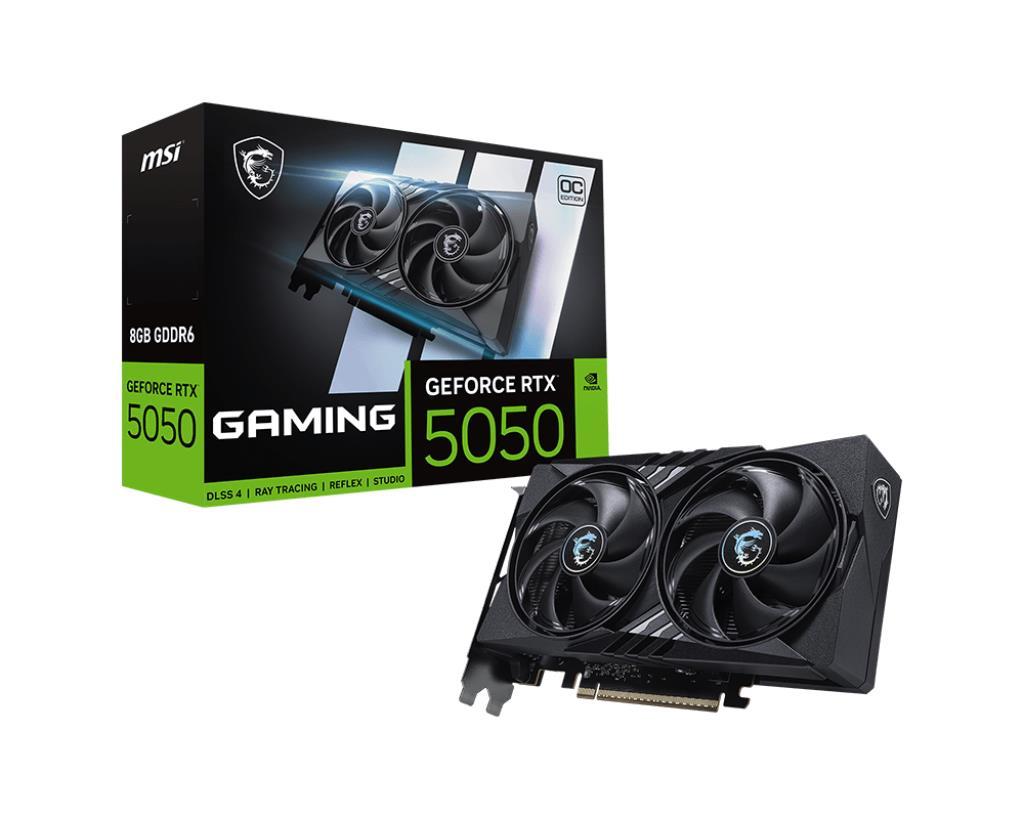
NVIDIA GeForce RTX 5050

✓ In stock Save 5.00%

General information

The NVIDIA GeForce RTX 5050 is a next-generation entry-level graphics card based on NVIDIA’s Blackwell architecture, designed for efficient 1080p gaming with support for DLSS 4 and ray tracing. Featuring 8GB of GDDR7 memory and excellent power efficiency, it’s a great choice for gamers upgrading from older GTX or early RTX cards. It delivers smooth gameplay in esports and modern AAA titles at medium to high settings, while keeping noise and temperatures low.

Specifications

GPU

Model
NVIDIA GeForce RTX 5050
Memory
8 GB GDDR7
Clock
2250 – 2650 MHz
Bus width
128-bit
TDP
150 W
Ray tracing
Yes
Upscaling
DLSS 4

No detailed specifications available for this product.

Customer Reviews

3.8

Based on 10 reviews

5 ★
4
4 ★
1
3 ★
4
2 ★
1
1 ★
0

Annalise Winkler Koch

★★★★★

Upgrading to the RTX 5050 made high-refresh gaming feel much smoother than before. I mostly play competitive games and the responsiveness is great—consistent FPS, good frame pacing, and no annoying hitching during matches. It also handles background apps well (Discord, browser, capture tools) without sudden drops. Temperatures and fan noise are very manageable in my case, which was a pleasant surprise. Setup was painless and stability has been excellent. For high-refresh play at sensible settings, it’s been a fantastic upgrade.

Anna Courvoisier

★★★★★

For my AI workloads, this has been a great upgrade. I’m mostly doing inference, testing smaller models, and experimenting with settings, and it’s been fast, stable, and easy to work with. Runs complete reliably, the card stays cool enough in my setup, and I haven’t had any driver headaches. The biggest improvement is simply how much smoother the workflow feels—less waiting, quicker iteration, and fewer interruptions. As long as your workload fits the card’s practical limits, it’s an excellent value option. For what I do, it’s been perfect.

Θαλασσινή Μαυραειδή

★★★☆☆

Okay for AI workloads, though I expected a bit more. It’s stable and handles basic experimentation well, but I found myself running into constraints in some projects sooner than I thought I would. Performance can also vary depending on the specific tools and models you use, so it wasn’t consistently impressive. It’s not a bad experience—just not the “smooth upgrade” I hoped for across the board. If you’re doing lighter AI tasks, it’s fine; if you want more flexibility and headroom, you may want to step up.

Luciano Giannuzzi

★★☆☆☆

It didn’t quite meet my expectations for smooth high-refresh gameplay. In some games it performs well, but I ran into inconsistent frame pacing and had to drop settings more than I wanted to keep things truly smooth at high refresh rates. That was disappointing because I bought it specifically for that “always fluid” feel. I also spent more time tweaking settings than I expected, and the results still weren’t consistent across my library. It’s not unusable, but for the money I expected a smoother, more effortless experience.

Harry Timlin

★★★★☆

Happy with it for AI workloads—it does what it should. For inference and smaller experiments, it’s fast enough, stable, and doesn’t create a ton of heat or noise. Setup was straightforward and I haven’t had random crashes, which is important for longer runs. I’m giving 4 stars instead of 5 because you do have to work within limits depending on what you’re running, and sometimes that means optimizing settings more than I’d like. But for practical day-to-day AI work at this tier, it’s a solid and dependable card.

Helene Rädel-Fischer

★★★★★

Performance has been excellent for 1440p gaming in my setup. With sensible settings, most games run smoothly and consistently, and the overall feel is very fluid—especially in the titles I play most. DLSS helps a lot when a game is more demanding, and I’ve been able to keep a great balance of visuals and performance. It also runs efficiently: temps are controlled, fan noise is reasonable, and it’s been stable through long sessions. For 1440p gaming without constant frustration, it’s been a great purchase.

Sandro Loureiro

★★★★★

I’ve been using the RTX 5050 for a while now and 1440p gaming has been surprisingly smooth for what I paid. In the games I actually play most (shooters, racing, and a few lighter AAA titles), it holds a stable frame rate with sensible settings, and DLSS makes it easy to keep things looking sharp without sacrificing smoothness. Frame pacing feels consistent, so it doesn’t just “benchmark well,” it feels good in real gameplay. It also runs cool and quiet in my case, which I really appreciate during long sessions. No crashes, no weird stutters—just a solid, stable experience.

Cornelia Diaconescu

★★★☆☆

It’s fine for 1440p gaming, but there are definitely compromises. If you’re willing to tweak settings (especially textures and a couple heavier effects), you can get a smooth experience in many titles, and DLSS helps a lot. But if you expect to crank everything to ultra at 1440p and stay buttery smooth in newer AAA games, that’s not realistic. I also noticed that some games feel great while others require more tuning than I expected. It’s a decent card for the right expectations, but it’s not a “set it and forget it” 1440p solution.

MVDr. Irma Kúsová Ph.D.

★★★☆☆

It does the job for high-refresh gaming, but I wouldn’t call it exceptional. Competitive games feel smooth and responsive after a bit of settings tuning, and input latency is good. However, when I tried newer, heavier titles, maintaining very high FPS required turning down more options than I hoped. It’s a pleasant card to live with—quiet, efficient, and stable—but the performance “wow factor” isn’t always there. For budget high-refresh gaming it’s okay, just not the best value if you expected near top-tier smoothness.

Dr. Jónásné Kiss Rozália

★★★☆☆

For AI workloads, it’s decent but not a standout. It handles smaller models and inference comfortably, and for experimenting and learning it’s been stable and straightforward to set up. Where it falls short is headroom—depending on what you run, you can hit practical limits quickly and end up adjusting batch sizes or simplifying configs more than you’d like. Performance is fine within its lane, and I haven’t had crashes, but it didn’t feel like a big leap over my previous setup in every task. Good for entry-level AI work, not ideal for anything demanding.